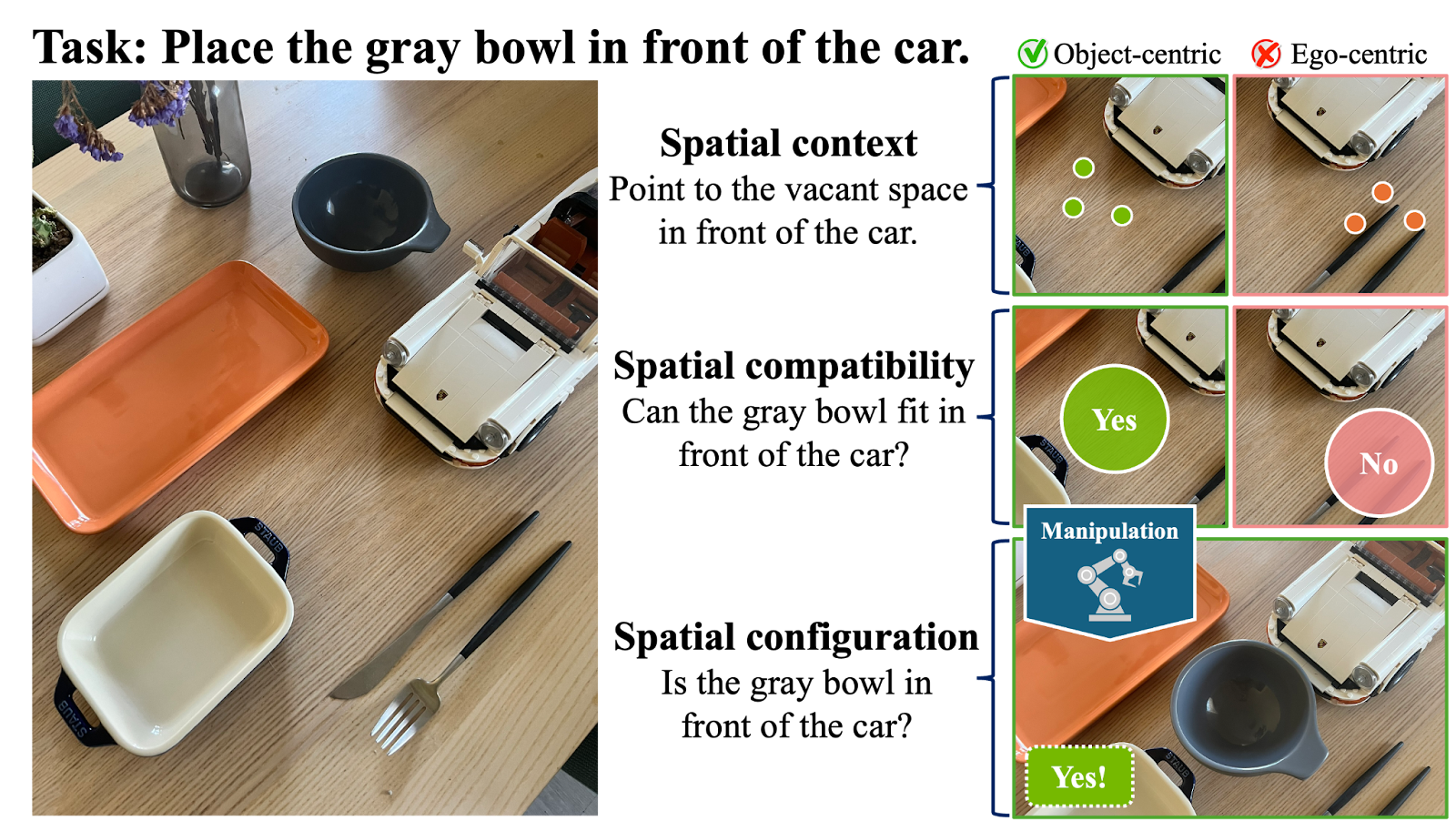
How to run: Follow the RoboSpatial-Eval README for setup, dataset download, config, and running evaluation. To add your model to the codebase, follow ADDING_MODELS.md.
Where to get your scores: After running the evaluation, use either:
aggregate_robospatial_home_<model_name>.json → in category_stats, use the accuracy value for each category, orReport these three numbers in the Google Form:
| Category | Score Name |
|---|---|
| Configuration (VQA) | RoboSpatial-Home Configuration score |
| Context (pointing) | RoboSpatial-Home Context score |
| Compatibility (VQA) | RoboSpatial-Home Compatibility score |
Use one decimal place (e.g. 74.0, 6.6, 55.2). The run you use for these numbers is the one we will verify.
Submit via the Google Form.
Important note: We will reproduce your results using your submitted code and checkpoints. In addition, to assess generalizability, we may evaluate your model on an unseen test split containing unseen images but the same question types (strictly no training on the test set).
You may update your Google Form submission at any time. We will only consider the highest score achieved by the same model or method at the end of the challenge. Final results will be determined by the organizers based on the official scoresheet and will be announced after the challenge concludes.
We will run your code and checkpoints with this repo's evaluation pipeline and confirm the reported scores. Please ensure:
chanhee-luke is added as a collaborator.
Q: Do I need to register for the challenge?
A: No, you do not need to register. The submission itself counts as registration. However, each person is only eligible for one submission, so please include all team members in your submission.
Q: Do I have to use the depth input?
A: No, you do not need to, but you are free to use the depth image if you wish.
For any questions or issues, contact the challenge organizer (Luke Song) at chanhee.luke@gmail.com or raise a GitHub issue at RoboSpatial-Eval.